
A populated wallet screen, before your wallet app can show one.
For developers, designers, startups and agencies building a crypto wallet: compose a home screen with a wallet name, avatar, accent colour and tokens, open it on a phone, and use it where your build cannot go yet.
$19$29 a month · Cancel in one click · Secure payment by Stripe
Where it fits, and where it does not
It draws one thing: a crypto wallet home screen, in one design. That makes it useful before launch, and the wrong tool for your store listing.
It fits
- The pitch of your wallet app, labelled “Illustrative UI, sample data”.
- Concept tests and design reviews, next to your own designs.
- Teasers and waitlist pages, labelled as illustrative UI, not your final design.
- Planning the demo data you will later seed into your build.
It does not fit
- Your App Store listing, unless your build shows this exact screen. Apple asks that screenshots “accurately reflect the app’s core experience” (App Review Guidelines, 2.3): the listing has to be about the thing you are shipping.
- Exchange, swap or DeFi screens: it draws a wallet’s home screen and token pages; the screens behind the tabs are fixed samples.
- Your own layout: it has one design. Your own screens belong in your design tool: when drawing is the right choice.
For the listing, shoot your build. The reference below applies to any app.
Access is personal (terms, section 4) and our terms do not mention business use: for a company or a client project, write to contact@mylarpwallet.com first.
What it gives a wallet team
Populated from a form, with arithmetic that holds.
Each row is quantity times price, the rows add up to the total, and the day's change follows from them. The first thing a numerate reviewer checks already works.
Your wallet's name and data, not someone else's.
Wallet name, handle, avatar, accent colour, and custom tokens with your own icon and a price you type. Replace the defaults first: the ghost avatar and the search text point to a real wallet app, and third-party brands run into App Review guideline 5.2.1 and our terms. The layout follows that app's home screen: in a pitch, a teaser or a waitlist page, label it as illustrative UI, not your app's design.
A real phone, at its own resolution.
It opens full screen on the phone, so a screenshot comes out at the phone's own resolution, with the phone's own status bar.
How it works
Write the demo data first.
One fictional dataset, reused on every screen. How to write it.
Compose it.
Type the dataset into the wallet. Try the free crypto wallet demo first: no account, 12 changes at a time.
Open it on a phone and capture it.
Take the screenshot for the pitch or the test, and label it as illustrative wherever it goes.
A wallet app mockup, rendered by the engine
The same wallet, empty and then filled from one dataset, the pair a design review asks for; and a custom token row with its own mark and a typed price.
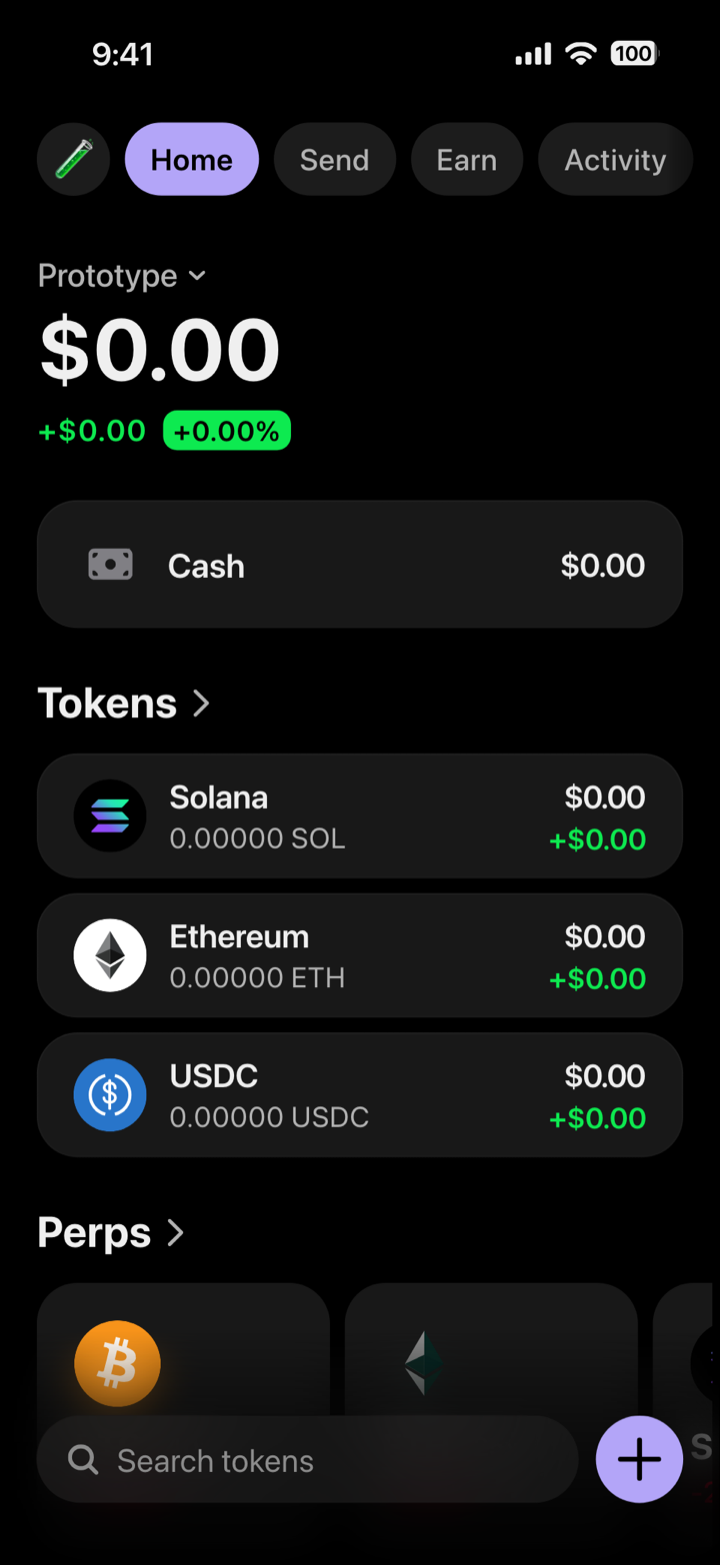
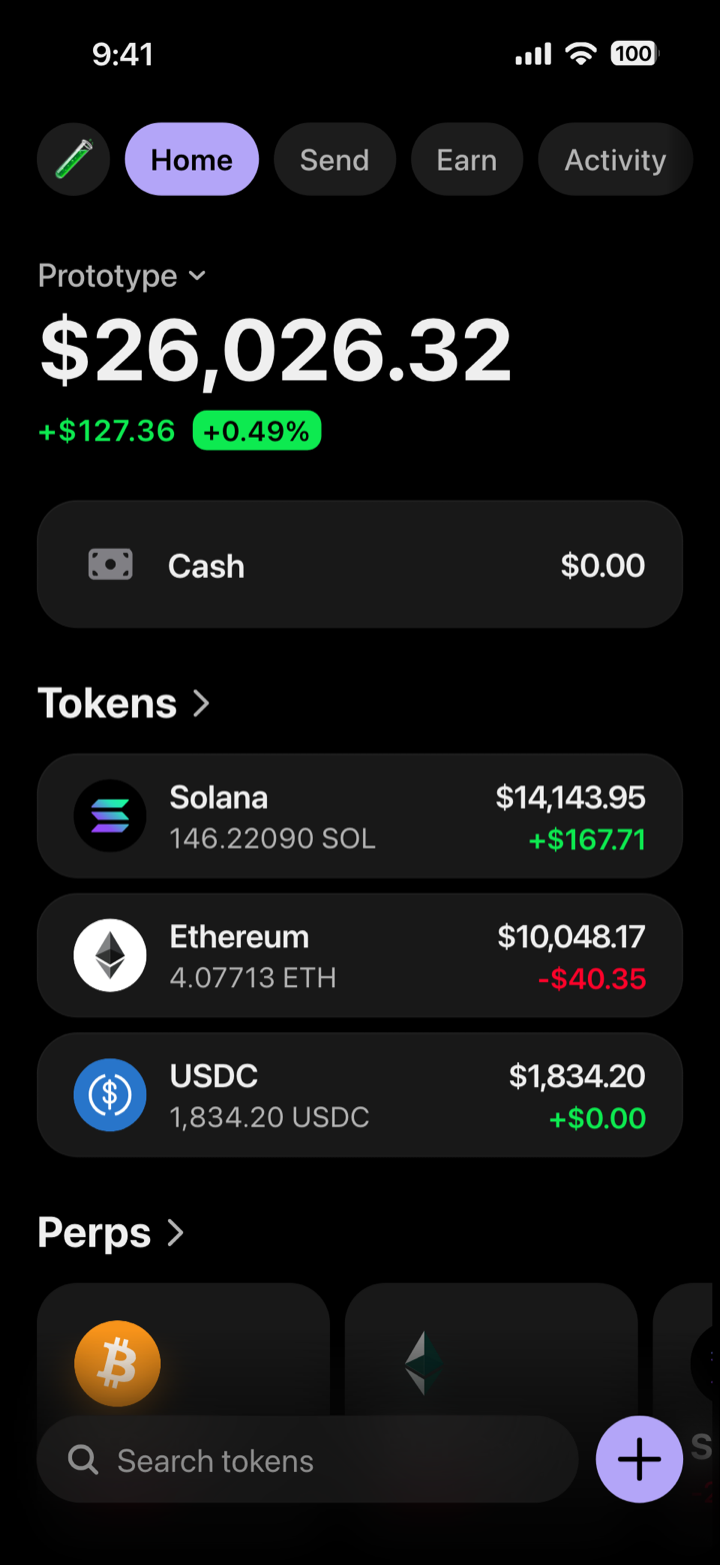
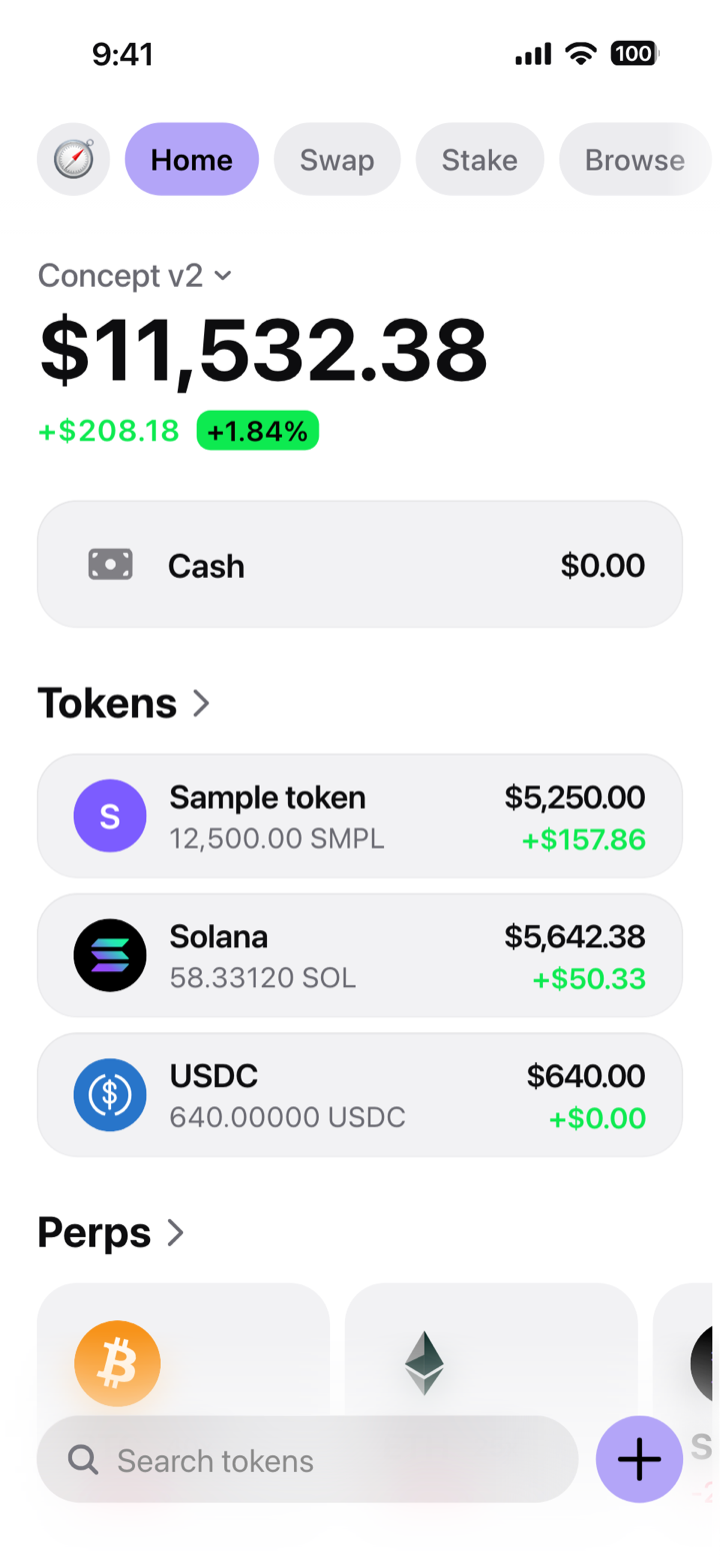
A mockup, not a wallet: composed in My Larp Wallet. It holds no funds and connects to no blockchain. The time, signal and battery at the top of these pictures are drawn by our renderer; on your phone, the wallet leaves that band to the phone's own status bar.
Build and pitch: the guides
- How to make app screenshots before launchWrite one fixture first, then seed an account, rebuild the screen in a design tool or render a mockup.
- Screenshots for a crypto wallet listing, specificallyWhat a wallet listing has to show, and the claims that get images rejected.
- Where a wallet simulator earns its place in a product teamEmpty states, support docs, deck slides and layout checks at extreme values.
- Crypto wallet mockup, prototype or model: which one you needWhat each word means, what each one costs, and which one each deadline needs.
- Figma app mockup vs real screenshot: which one to useFidelity, revision cost and drift, and which one to use when.
- Anatomy of a crypto wallet portfolio screenMeasured layout: cards, radii, icon sizes and the hairline that raises a card.
- Crypto wallet UI design: six patterns the good apps shareOne dominant balance, two-column token rows, 44 pt targets, one colour rule.
- Crypto token icons: sizes, shapes and the traps32 to 40 pt in a list row, the alpha and shape traps, and which tokens a mockup draws.
- Dark mode contrast: the WCAG ratios that hold upThe WCAG thresholds, and measured ratios from a real dark palette.
- Fake data in a product demo: where the line actually isWhat is standard practice, what crosses into misrepresentation, and the labelling.
- Crypto wallet emulator or simulator: the real differenceOne executes an app in an imitated device; the other draws the interface.
Reference for any app’s listing
These apply to any app. We do not make these screenshots for you; they show how to make your own.
- App Store screenshot sizes for iPhone
- iPhone status bar height and size, measured
- App Store screenshot guidelines: why screenshots get rejected
- “The dimensions of one or more screenshots are wrong”
- Why 9:41? What the status bar should say in App Store screenshots
- App preview videos: the specs
- App Store listing optimization: what actually moves installs
- iPhone screen sizes in points and pixels: the full table
More in the App Store screenshot articles, and every accepted size per device in the free screenshot size calculator. The product itself: My Larp Wallet; the free crypto wallet simulator runs in your browser.
Questions
Can I use it for my wallet app's App Store screenshots?
Only if the screen matches what your build shows. Apple asks that screenshots accurately reflect the app's core experience. Use it for the pitch, the concept test and the teaser; for the listing, shoot your build.
Can it draw my app's other screens?
No. It draws a wallet's home screen and token pages, in one fixed design; the screens behind the tabs show fixed sample content. Onboarding, swap flows or your own layout belong in your design tool.
Can my team or my client use it?
Access is personal (terms, section 4): shared credentials lead to the access being revoked, and each person who composes needs their own account. Our terms do not mention business use, so for a company or a client project, write to contact@mylarpwallet.com before you rely on it.
Does it connect to a testnet or a real wallet?
No. It reads no chain and never asks for a key. If your demo must show a real signature, use a testnet wallet.
Your wallet app, populated today.
Compose the screen your build cannot show yet, and label it as illustrative wherever it goes.
Open my wallet$19$29 a month, or $97$147$197 once for life
Cancel in one click · Secure payment by Stripe
My Larp Wallet makes interface mockups. It is not a wallet: it holds no funds and reads no blockchain. Every quantity is typed in; only the market prices of the five built-in tokens are real. Using a screen as proof of funds, as an account statement or to obtain money is against our terms.
Other jobs: Creators · Demos, decks and classes