
Show a crypto wallet to a room without showing anyone’s money.
For product demos, investor decks, talks and classes: a wallet on your phone that moves where it should and holds still where you want, with no real balance on it.
$19$29 a month · Cancel in one click · Secure payment by Stripe
What it gives a presenter
Nothing to leak.
No address, no balance, no history that belongs to anyone. A real wallet on a projector shows all three: what a real screen gives away.
It moves while you talk, and holds where it matters.
The five built-in tokens follow the market while you speak; the quantities stay exactly where you set them.
The state your story needs.
Several accounts, custom tokens, a cash row, a light or dark theme, and the rows in the order you set.
How it works
Compose one state per beat.
One account per moment of the talk: before, after, the edge case. Replace the default ghost avatar and search text first: both point to a real wallet app, whose home screen the layout follows. Rehearse on the free crypto wallet demo first: no account, 12 changes at a time.
Open it on the phone you will show.
Mirror it or film it: it opens full screen from the home screen, like any app.
Present it, and label it.
“Illustrative UI, sample data” on the slide, and one sentence on stage.
Rendered by the engine
A wallet named for what it is, a portfolio in the order of its values, and three chains for a lesson.
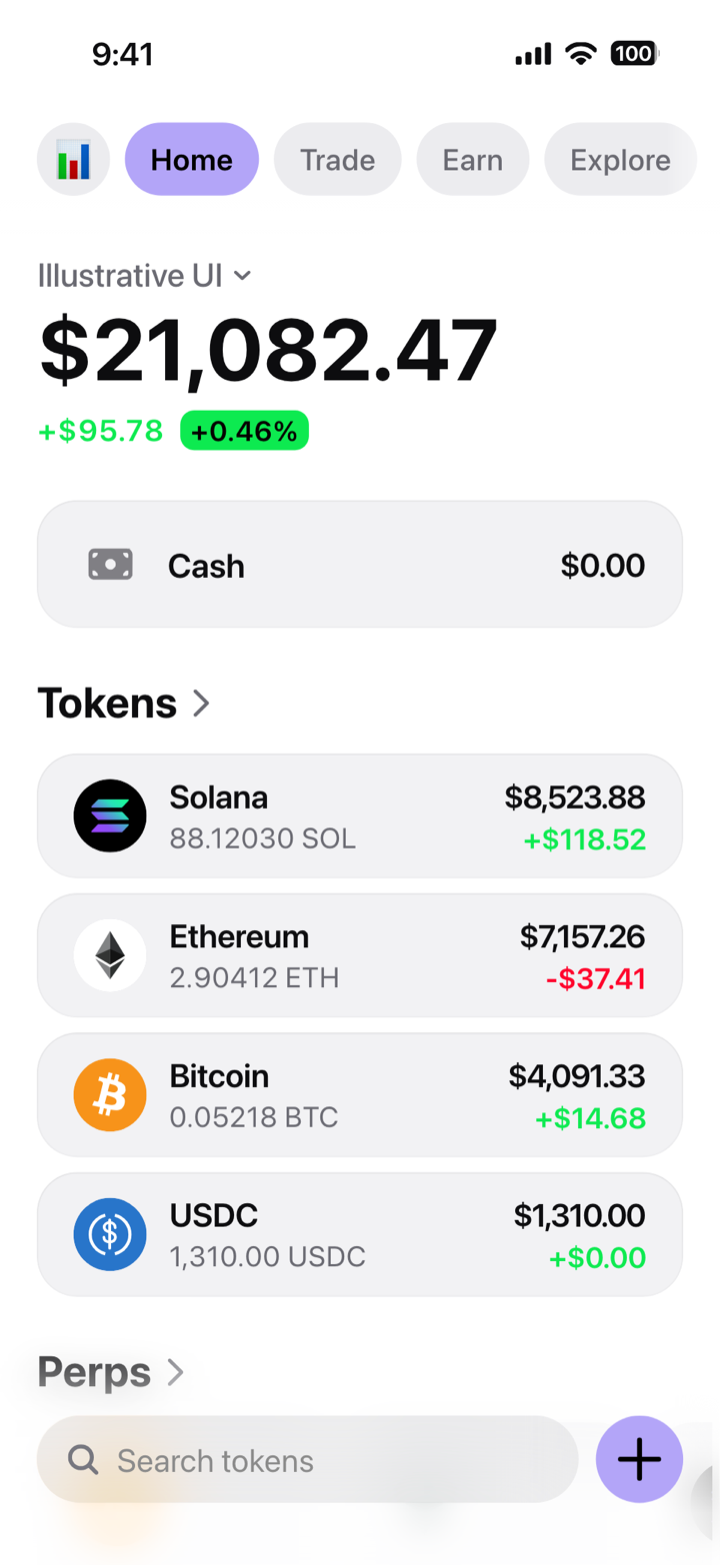
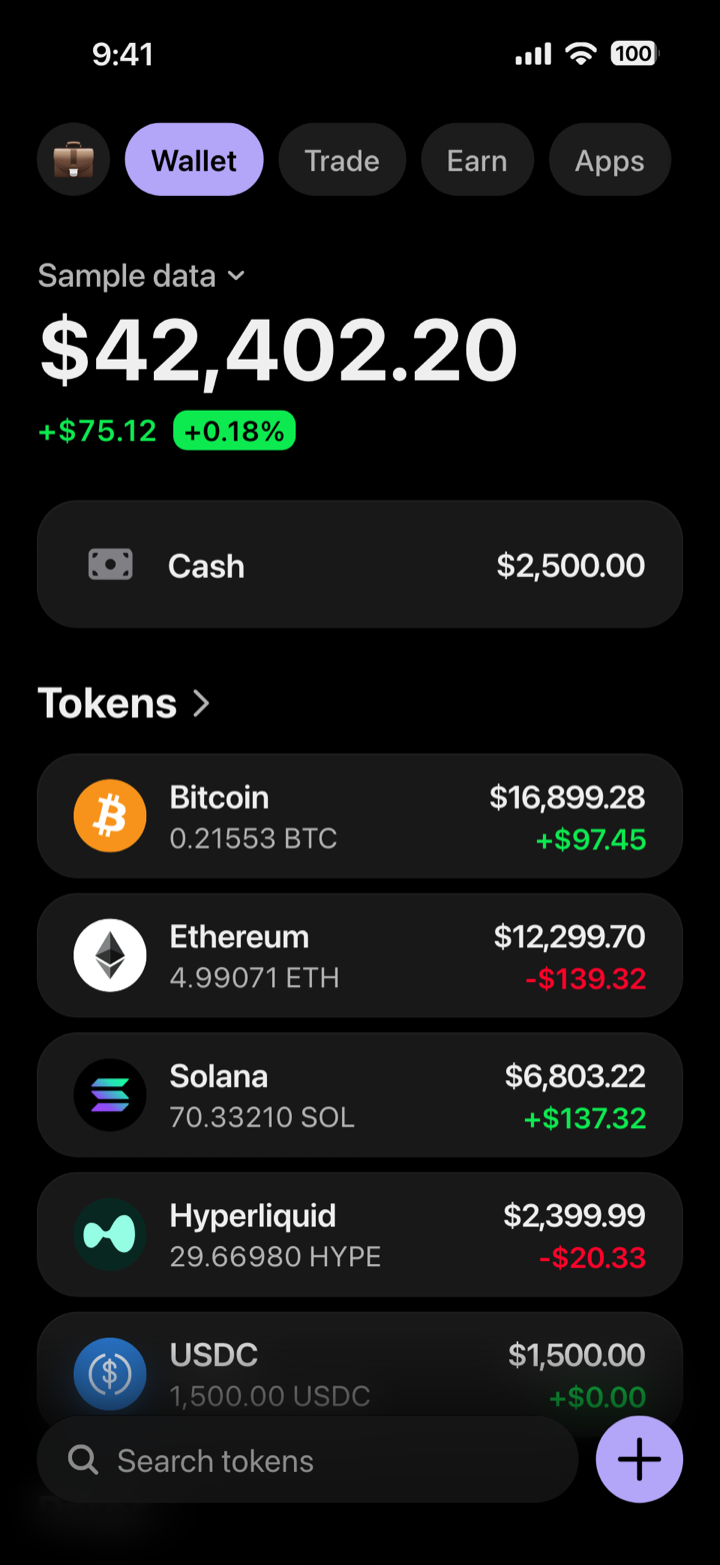
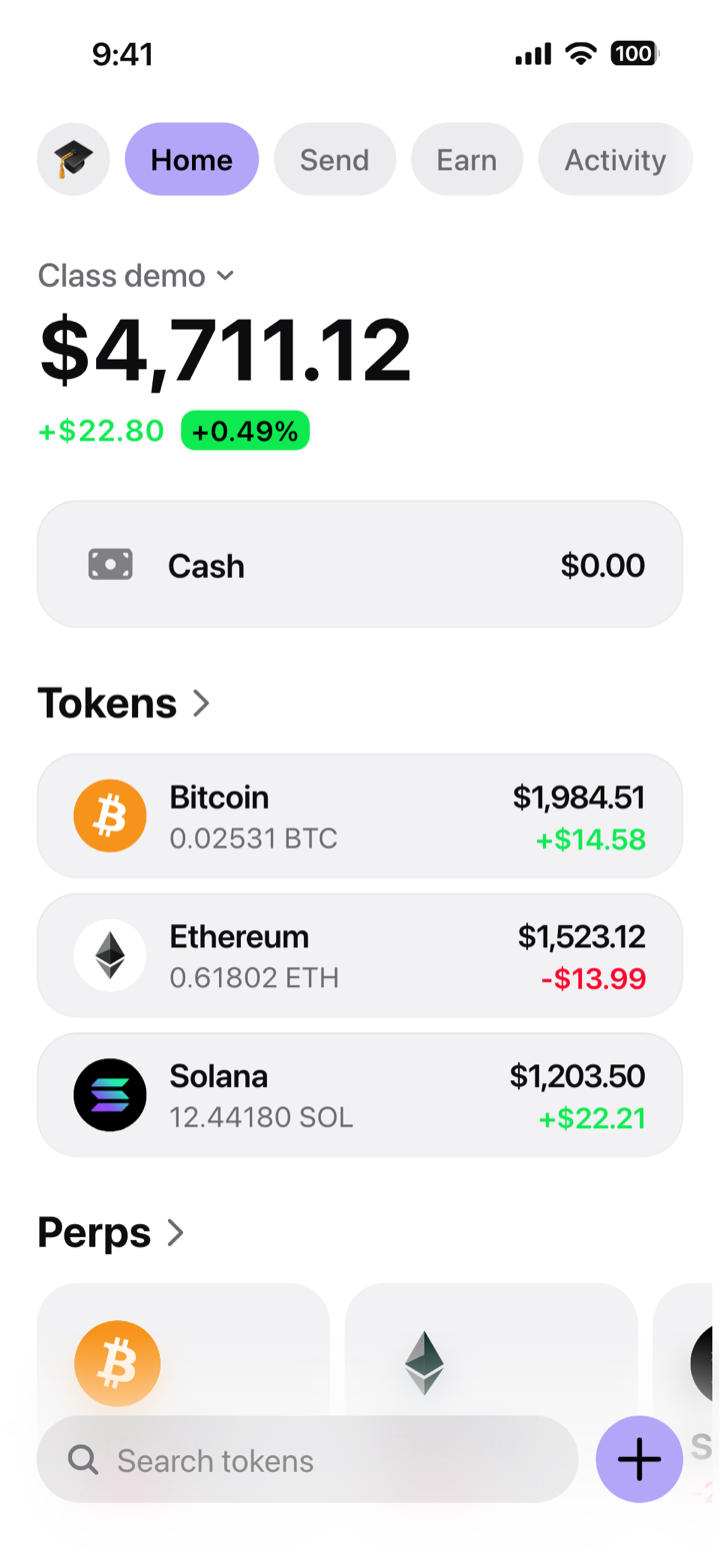
A mockup, not a wallet: composed in My Larp Wallet. It holds no funds and connects to no blockchain. The time, signal and battery at the top of these pictures are drawn by our renderer; on your phone, the wallet leaves that band to the phone's own status bar.
Where the real numbers go
Traction goes on a chart with a period and a source, never inside a mockup. A wallet screen in a deck illustrates the product; it is never assets under management, users, revenue or proof of funds. How to show a portfolio screen in a crypto pitch deck.
Numbers that add up on the screen
A portfolio screen for a slide, or a wallet UI to discuss with a class or a team: the total on top, the day’s change under it, and the rows in the order you set, each one quantity times price. The arithmetic holds, which is the first thing an audience checks. What the screen has to get right: how to make a crypto portfolio mockup that adds up. Drawn by hand, every one of those sums is yours to redo after each change: what drawing a wallet screen takes. To work a total out before you compose it, the free crypto portfolio calculator multiplies each quantity by the live price.
For teachers
The demo is free, needs no account, carries a DEMO mark and allows 12 changes at a time, then a reset: enough for a class exercise. The 45-minute lesson plan uses it, and ends on why a screenshot proves nothing.
Guides for the demo and the deck
- Crypto pitch deck: how to show a portfolio screen on a slideLegibility at slide scale, number choices, and the honesty line.
- Running a wallet demo live, in front of a roomWhat breaks live, what to fix in advance, and when to run the real app.
- Fake data in a product demo: where the line actually isWhat is standard practice, what crosses into misrepresentation, and the labelling.
- Is it safe to share a crypto wallet address or screenshot?What an address and a screenshot give away, why blurring fails, and what to show instead.
- Crypto demo account, paper trading, wallet simulatorWhich one places trades, which one moves test coins, which one only draws, and where a testnet fits.
- How to make a crypto portfolio mockup that adds upThe total, the 24-hour change, decimals per chain, and the order of the rows.
- Which tokens a wallet mockup drawsThe marks drawn precisely, what happens for any other token, and the badge real wallets use.
Screens by chain
In class
- Teaching crypto wallets in class without real money or real keysA 45-minute lesson: students open a practice wallet on their own device.
- Anatomy of a crypto wallet portfolio screenMeasured layout: cards, radii, icon sizes and the hairline that raises a card.
- How to spot a fake crypto wallet screenshotTotals that do not add up, impossible timestamps, rounding that is too clean.
- What a hardware wallet simulator can and cannot showWhy a device screen and a phone app screen are different objects.
Every article on composing and checking a wallet screen: crypto wallet simulators and mockups. The product itself: My Larp Wallet; the free crypto wallet simulator runs in your browser.
Questions
Can I show it to investors?
Only as a labelled illustration of the product, never as assets, users or revenue: presenting a mockup as a financial position is against our terms and misleads the people you are asking for money. Our licence is personal (terms, section 4) and does not mention business use, so for a company's deck, write to us first.
What if the venue wifi drops?
The built-in tokens need a connection to follow the market. Take a screenshot of each beat on the phone beforehand, so the talk does not depend on the network.
Can a class use it without accounts?
Yes. Each student opens the demo in their own browser: no account, a DEMO mark on the screen, 12 changes at a time.
Can I get the screen as an image for my slides?
There is no export. Take the screenshot on the phone, at its own resolution, then crop it for the slide.
A wallet for the room, with nobody’s money on it.
Compose each beat once, open it on your phone, and present it labelled.
Open my wallet$19$29 a month, or $97$147$197 once for life
Cancel in one click · Secure payment by Stripe
My Larp Wallet makes interface mockups. It is not a wallet: it holds no funds and reads no blockchain. Every quantity is typed in; only the market prices of the five built-in tokens are real. Using a screen as proof of funds, as an account statement or to obtain money is against our terms.
Other jobs: Creators · Crypto wallet app builders